User details in ID token
The User Details in ID Token setting controls whether personally identifiable information (PII) such as email, name, and profile picture is included in the JWT identity token issued by Embedded Wallets.
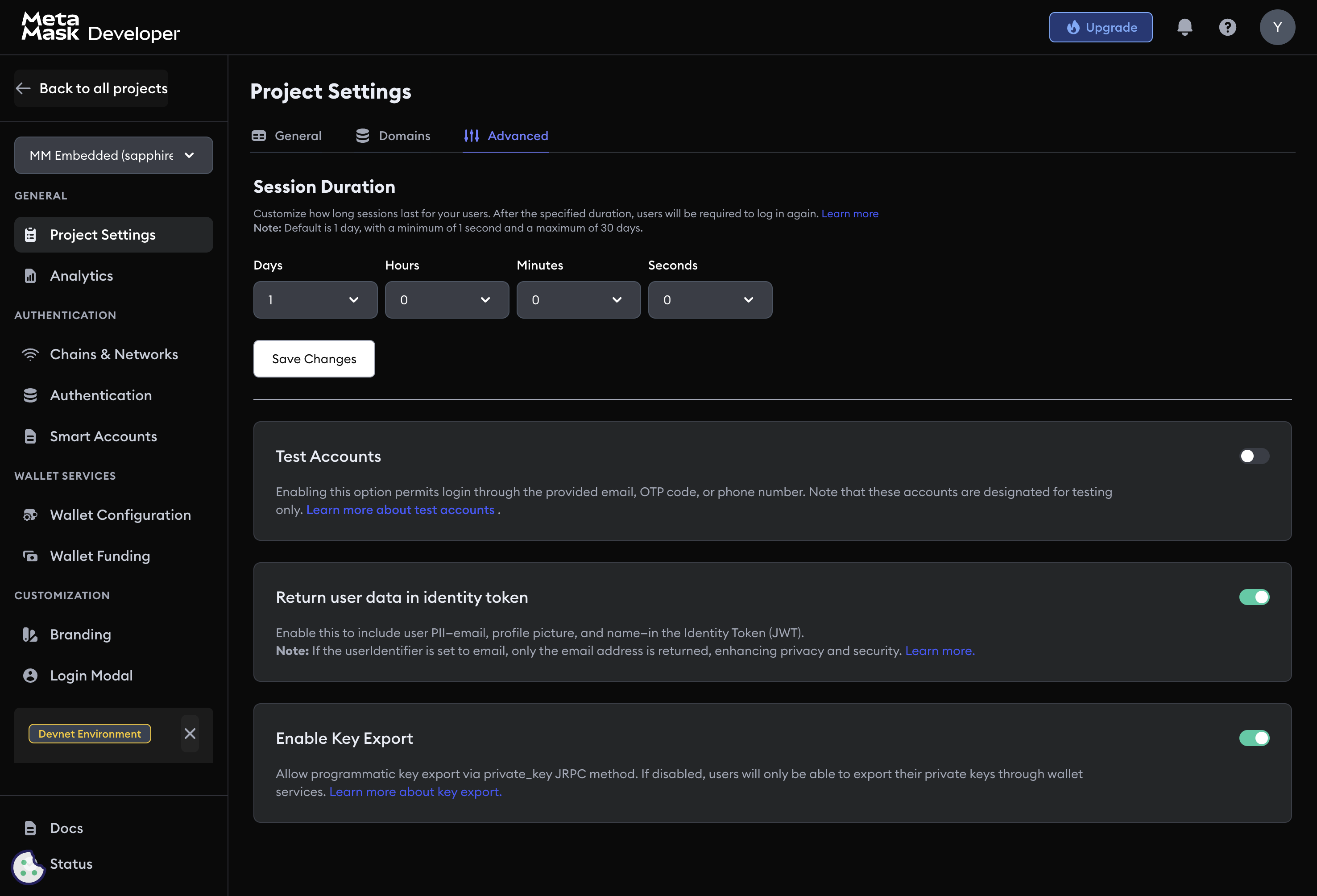
Configuration options
Navigate to Project Settings → Advanced → User details and choose one of three modes:
| Mode | Additional claims in token |
|---|---|
| Disabled | None — only sub, wallet_address, standard JWT fields |
Email only (userIdentifier: email) | email |
| Enabled (all PII) | email, name, picture, provider fields |
The sub (user identifier), wallet_address, aud, exp, and iat claims are always present regardless of this setting.
Reading the token
Retrieve the identity token using getIdentityToken():
const { idToken } = await web3auth.getIdentityToken()
The returned idToken is a signed JWT. Verify it server-side using the JWKS endpoint or project verification key before trusting any claims.
Sample token payloads
Disabled — minimal claims only:
{
  "sub": "google|user_unique_id",
  "wallet_address": "0x1234...abcd",
  "aud": "<YOUR_CLIENT_ID>",
  "exp": 1640995200,
  "iat": 1640908800
}
Enabled — full PII included:
{
  "sub": "google|user_unique_id",
  "wallet_address": "0x1234...abcd",
  "aud": "<YOUR_CLIENT_ID>",
  "exp": 1640995200,
  "iat": 1640908800,
  "email": "user@example.com",
  "name": "Jane Doe",
  "picture": "https://profile-pics.example.com/user.jpg",
  "provider": "google"
}
Privacy considerations
Only enable PII in tokens when your dapp needs it. Ensure your privacy policy discloses what user data you process. For GDPR-regulated users, obtain explicit consent before persisting any PII sourced from the token.
Next steps
- Session management — control session lifetime
- Key export settings — control private key export permissions
- Project settings — general project configuration